You download a photo, and suddenly you notice something strange. One image ends with “.jpg” while another ends with “.jpeg.” Naturally, you start wondering if one format is better, higher quality, or more professional than the other.
A lot of people assume JPG and JPEG are completely different image formats. Some think JPEG gives better quality, while others believe JPG is more compressed. The internet only makes the confusion worse because different websites give different answers.
The truth is much simpler than most people expect.
Whether you are editing photos, uploading blog images, running a website, designing graphics, or just organizing files on your computer, understanding JPG vs JPEG can save you unnecessary stress.
For photographers, students, bloggers, content creators, and everyday users, these two file extensions appear constantly. But do they really matter?
In this guide, you will learn the real difference between JPG and JPEG, image quality facts, compatibility details, compression explanations, and which one you should actually use today.
Quick Answer: JPG vs JPEG
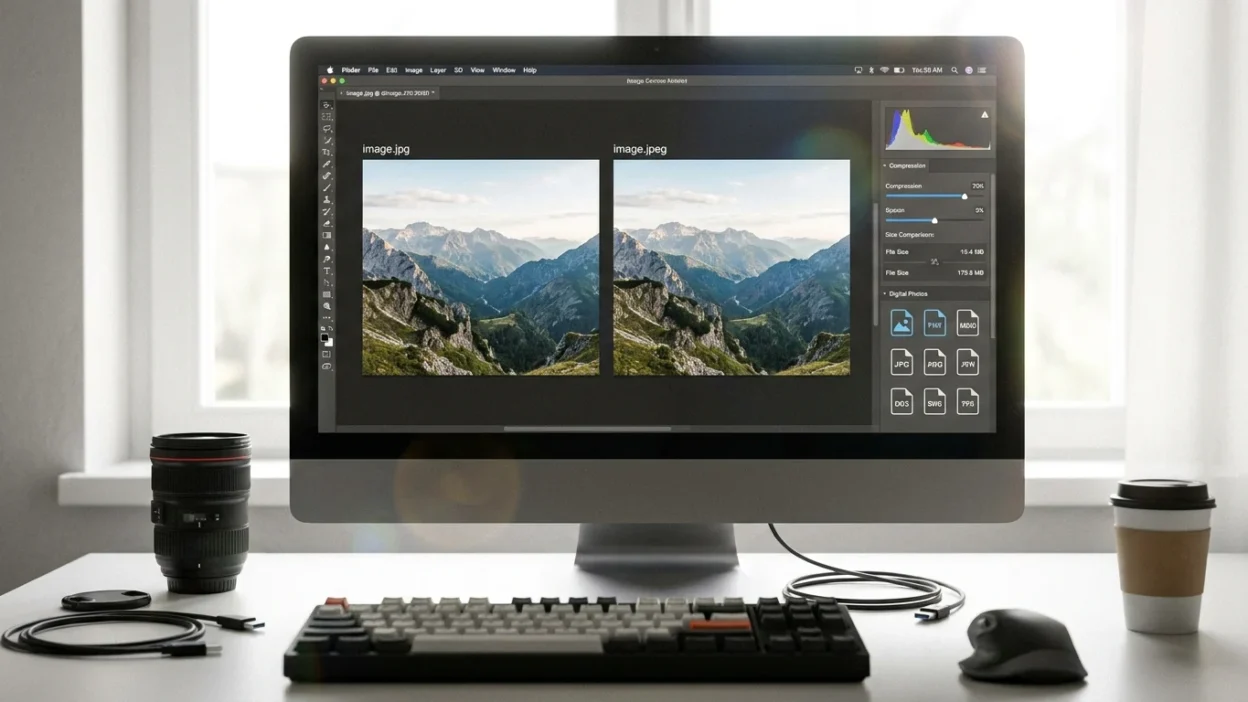
JPG and JPEG are exactly the same image format. The only difference is the file extension spelling. “.jpg” became popular because older Windows systems only allowed three-letter file extensions, while “.jpeg” uses the full four-letter version.
There is no difference in:
- Image quality
- Compression
- File size
- Compatibility
- Performance
What Is JPEG?
JPEG stands for “Joint Photographic Experts Group,” which is the organization that created the format.
The JPEG format became one of the most popular image types in the world because it balances:
- Good image quality
- Small file sizes
- Fast loading speeds
JPEG images are widely used for:
- Photography
- Websites
- Social media
- Blogging
- Digital cameras
- Online stores
Why Do Some Files Use JPG Instead of JPEG?
This is where most confusion comes from.
Older versions of Windows, especially MS-DOS and early Windows systems, only supported three-character file extensions.
That meant:
- “.jpeg” was too long
- “.jpg” became the shortened version
Mac systems and newer operating systems later supported both versions.
Today:
- .jpg
- .jpeg
both work identically.
JPG vs JPEG: Main Differences
| Feature | JPG | JPEG |
|---|---|---|
| File Format | JPEG | JPEG |
| Image Quality | Same | Same |
| Compression | Same | Same |
| File Size | Same | Same |
| Compatibility | Same | Same |
| Performance | Same | Same |
| Meaning | Shortened extension | Full extension |
There is literally no quality advantage between them.
Is JPG Better Than JPEG?
No.
JPG is not better than JPEG, and JPEG is not better than JPG.
If two files have:
- The same dimensions
- The same compression settings
- The same export quality
they will look identical regardless of whether they end in .jpg or .jpeg.
Why JPEG Became So Popular
JPEG became dominant because it solved a huge digital storage problem.
Before compressed image formats, image files were extremely large.
JPEG introduced “lossy compression,” which reduces file size while keeping acceptable image quality.
Benefits of JPEG Compression
- Smaller file sizes
- Faster website loading
- Easier sharing
- Better storage efficiency
- Wide compatibility
That is why JPEG is still heavily used today.
What Does “Lossy Compression” Mean?
JPEG uses lossy compression, meaning some image data gets removed to shrink the file size.
The goal is to reduce storage space without making quality loss too noticeable.
High JPEG Quality
- Better detail
- Larger file size
Low JPEG Quality
- Smaller file size
- More visible compression artifacts
This applies equally to JPG and JPEG files.
Are JPG and JPEG Compatible Everywhere?
Yes.
Almost all:
- Smartphones
- Browsers
- Editing software
- Websites
- Cameras
- Operating systems
support both JPG and JPEG.
There is no real-world compatibility difference today.
JPG vs JPEG for Websites
Both work exactly the same for websites.
Why Web Developers Use JPEG Images
- Faster loading times
- Smaller image sizes
- Good visual quality
- SEO-friendly performance
Google and website visitors care more about:
- Image optimization
- Compression quality
- Page speed
not whether the extension says JPG or JPEG.
JPG vs JPEG for Photography
Professional photographers use both interchangeably.
The extension itself does not affect:
- Sharpness
- Color quality
- Resolution
- Editing potential
What matters more is:
- Camera quality
- Compression settings
- Editing workflow
JPG vs PNG: A More Important Comparison
People often compare JPG vs JPEG when the bigger difference is actually JPEG vs PNG.
JPEG/JPG
Best for:
- Photos
- Social media
- Websites
- Smaller file sizes
PNG
Best for:
- Transparent backgrounds
- Logos
- Graphics
- Sharp text
PNG files are usually larger but preserve more detail.
Pros and Cons of JPEG Images
Pros
- Small file sizes
- Fast loading
- Universal compatibility
- Great for photography
- Easy sharing
Cons
- Lossy compression
- Reduced editing flexibility
- Lower quality after repeated saves
- Not ideal for transparency
Should You Use JPG or JPEG Today?
Use whichever you prefer.
Most people simply use:
- .jpg
because it is shorter and more common online.
But:
- .jpeg
is equally correct.
Neither impacts performance or quality.
Which One Is Better for SEO?
Neither extension directly improves SEO.
What matters more:
- Image compression
- Alt text
- File size
- Page speed
- Responsive images
A properly optimized JPG can help website speed regardless of whether it says JPG or JPEG.
Common Myths About JPG vs JPEG
Myth 1: JPEG Has Better Quality
False.
They are identical formats.
Myth 2: JPG Is More Compressed
False.
Compression depends on export settings, not extension names.
Myth 3: JPEG Is More Professional
False.
Professional photographers use both.
Myth 4: One Loads Faster
False.
Loading speed depends on file size and optimization.
Best Image Format for Different Needs
| Need | Best Format |
|---|---|
| Photography | JPEG/JPG |
| Logos | PNG |
| Transparent images | PNG |
| Website photos | JPEG/JPG |
| Social media uploads | JPEG/JPG |
| High-detail editing | TIFF/RAW |
| Small file sizes | JPEG/JPG |
Expert Advice for Everyday Users
Do not overthink JPG vs JPEG.
Focus on:
- Image quality
- Proper compression
- Resolution
- Optimization
The file extension itself is mostly irrelevant today.
If you are uploading images to a website, social platform, or blog, both formats work perfectly fine.
Final Verdict
The truth about JPG vs JPEG is surprisingly simple:
There is no actual difference.
JPG and JPEG are the exact same image format with identical:
- Compression
- Quality
- Compatibility
- Performance
The only reason both names exist is because older Windows systems once limited file extensions to three letters.
Today, you can safely use either one without worrying about quality or functionality.
For most users:
- JPG is slightly more common
- JPEG is the full technical name
But in real-world use, they are completely interchangeable.
FAQs
Is JPG different from JPEG?
No, JPG and JPEG are the same image format with different file extension spellings.
Which is better: JPG or JPEG?
Neither is better because both provide identical image quality and compression.
Why do some files use JPG instead of JPEG?
Older Windows systems only allowed three-letter file extensions, so JPEG became shortened to JPG.
Does JPEG have better quality than JPG?
No, image quality depends on compression settings, not the extension name.
Are JPG files smaller than JPEG files?
No, file size depends on export settings and image content.
Is JPG good for websites?
Yes, JPG is widely used for websites because it balances quality and file size well.
Can phones open both JPG and JPEG?
Yes, modern smartphones support both formats without issues.
Should photographers use JPG or JPEG?
Either is fine because they are technically identical.
Is PNG better than JPG?
PNG is better for graphics and transparency, while JPG is better for photos and smaller file sizes.
Can I rename JPG to JPEG?
Yes, changing the extension between JPG and JPEG usually works because the underlying format is the same.